Rails 8.1 Devcontainers for Teams: Stop Setup Drift
VS Code + Codespaces configs that prevent 'works on my machine' bugs

TL;DR: Rails 8.1 devcontainers standardize your Ruby, Node, and Postgres versions across the whole team — one .devcontainer commit eliminates “works on my machine.” The real failure modes are Docker layer caching, gem native extensions, and timezone drift. Pin everything; do not use :latest tags. We’ve covered rails in depth here: Ruby 3.5 Preview: What Matters for Rails in Production.
Start from a real production bug
The bug wasn’t in production code.
It was in the team.
One developer shipped a change that passed locally and failed in CI with:
-
pggem failing to compile - a different Node version producing a different asset build
- subtle timezone/locale differences changing a couple of specs
- “it worked on my machine” becoming a daily ritual
The scary part: these failures waste time and hide real regressions because people stop trusting tests.
The wrong mental model
“If we document the setup steps, the environment is standardized.”
READMEs rot. Local machines diverge.
- Ruby patches drift
- Homebrew updates break native gems
- Postgres versions differ
- Node tooling changes out from under you
- macOS + Linux behave differently (file watchers, paths, case sensitivity)
The real problem isn’t missing steps.
It’s uncontrolled variance.
Why the naive approach fails
The naive setup looks like this:
brew install postgresqlrbenv install ...bundle installyarn install- “If it fails, google the error”
This fails in predictable ways:
-
Native extension hell (
pg,nokogiri,ffi,grpc) - Different runtimes (Ruby/Node) produce different outputs
- Different database engines cause different query plans and behavior
- CI becomes “the real environment”, so dev becomes guesswork
The correct approach
A devcontainer is not “Docker for dev”.
It’s a contract:
- Pin runtime versions
- Make the container the default dev environment
- Make onboarding a clone-and-run operation
- Keep the environment close to CI
You want the same answer from:
- your laptop
- a teammate’s laptop
- Codespaces
- CI
Minimal, production-minded setup
1) Use Docker Compose as the source of truth
docker-compose.yml
services:
  app:
    build:
      context: .
      dockerfile: Dockerfile.dev
    volumes:
      - ..:/workspaces/app:cached
    command: sleep infinity
    environment:
      RAILS_ENV: development
      DATABASE_URL: postgres://postgres:postgres@db:5432/app_development
      REDIS_URL: redis://redis:6379/0
    depends_on:
      - db
      - redis
    ports:
      - "3000:3000"

  db:
    image: postgres:16
    environment:
      POSTGRES_PASSWORD: postgres
    volumes:
      - pgdata:/var/lib/postgresql/data
    ports:
      - "5432:5432"

  redis:
    image: redis:7
    ports:
      - "6379:6379"

volumes:
  pgdata:
Notes:
- Pin Postgres/Redis images to avoid “latest” surprises.
- Persist database state in a named volume.
2) Devcontainer config that works locally and in Codespaces
.devcontainer/devcontainer.json
{
  "name": "rails-app",
  "dockerComposeFile": ["../docker-compose.yml"],
  "service": "app",
  "workspaceFolder": "/workspaces/app",
  "customizations": {
    "vscode": {
      "extensions": [
        "shopify.ruby-lsp",
        "ms-azuretools.vscode-docker",
        "esbenp.prettier-vscode"
      ]
    }
  },
  "postCreateCommand": "bin/devcontainer-setup",
  "forwardPorts": [3000, 5432, 6379],
  "remoteUser": "vscode"
}
This makes “open in container” behave the same across machines.
3) Put the setup logic in code, not tribal knowledge
bin/devcontainer-setup
#!/usr/bin/env bash
set -euo pipefail

# Ruby deps
bundle config set path vendor/bundle
bundle install

# JS deps (choose yarn/pnpm/npm to match your app)
corepack enable || true
yarn install --frozen-lockfile

# DB
bin/rails db:prepare
Keep this script idempotent. Make it safe to run repeatedly.
What to standardize (and what not to over-standardize)
Standardize:
- Ruby version (and Bundler)
- Node version (and package manager)
- Postgres version
- Redis version
- system packages required for native gems
- a single setup entrypoint (
bin/devcontainer-setup)
Don’t over-standardize:
- editor themes/settings
- personal shell prompts
- private key material (handle secrets properly)
Edge cases and production pitfalls
File performance on macOS
Mounting large Rails repos into Docker can be slow on macOS. Use:
-
:cachedor:delegatedmounts where appropriate - avoid bind-mounting heavy temp dirs (node_modules, tmp/cache) if needed
User/UID mismatches
If files created in the container are owned by root, your host can become painful.
Use a non-root user (remoteUser) and ensure your Dockerfile sets it correctly.
Codespaces prebuilds
If your repo is large, enable Codespaces prebuilds to reduce time-to-first-run.
But keep postCreateCommand fast and deterministic.
Secrets
Don’t bake secrets into images. Prefer:
-
.envlocally - Codespaces secrets in GitHub
- encrypted credentials in Rails where appropriate
Database extensions and Postgres tooling
If your production DB uses extensions (e.g., pg_trgm, citext), install them in the container and enable them in schema/migrations so dev matches production reality.
A good “definition of done” for devcontainers
A new teammate should be able to:
- Clone repo
- Open in VS Code
- “Reopen in Container”
- Run
bin/rails testandbin/dev
…and get the same results as CI.
Rule of thumb
If CI is your only consistent environment, your team is debugging the wrong problems.
Devcontainers aren’t about Docker purity. They’re about reducing variance so you spend your time on real application bugs.
Was this article helpful?
Your feedback helps us improve our content
How We Verify Conversions
Every conversion shown on this site follows a strict verification process to ensure correctness:
- Compare results on same dataset — We run both SQL and ActiveRecord against identical test data and verify results match
-
Check generated SQL with
to_sql— We inspect the actual SQL Rails generates to catch semantic differences (INNER vs LEFT JOIN, WHERE vs ON, etc.) - Add regression tests for tricky cases — Edge cases like NOT EXISTS, anti-joins, and predicate placement are tested with multiple scenarios
- Tested on Rails 8.1.1 — All conversions verified on current Rails version to ensure compatibility
Last updated: October 22, 2026
Try These Queries in Our Converter
See the SQL examples from this article converted to ActiveRecord—and compare the SQL Rails actually generates.
Deep Dive into ActiveRecord
Raza Hussain
Full-stack developer specializing in Ruby on Rails, React, and modern JavaScript. 15+ years upgrading and maintaining production Rails apps. Led Rails 4/5 → 7 upgrades with 40% performance gains, migrated apps from Heroku to Render cutting costs by 35%, and built systems for StatusGator, CryptoZombies, and others. Available for Rails upgrades, performance work, and cloud migrations.
More on Ruby & Rails Core
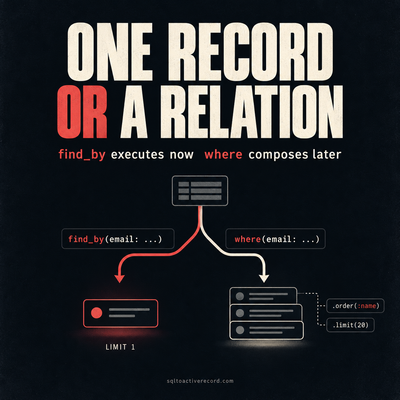
ActiveRecord where vs find_by — Which to Use When
where returns a relation, find_by returns one record or nil. Here's when each is correct, what breaks if you pick wrong, and Rails 7/8 production patterns.
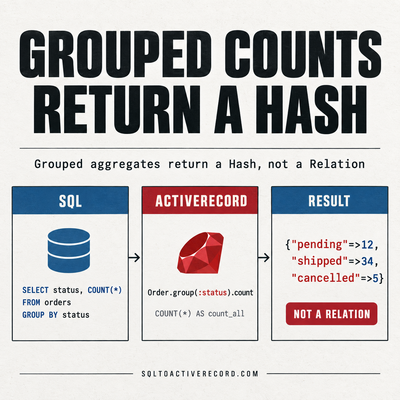
ActiveRecord group and count — SQL GROUP BY in Rails
How to use group and count in ActiveRecord for SQL GROUP BY. With having, order, and the SQL Rails generates. Rails 7/8 production examples with output.
destroy_all vs delete_all in Rails: Performance, Callbacks, and When to Use Each
destroy_all runs callbacks and triggers dependent destroys. delete_all is a single SQL DELETE. Here's when each is correct and what breaks if you pick wrong.
Leave a Response
Responses (0)
No responses yet
Be the first to share your thoughts