SQL EXISTS and NOT EXISTS in Rails ActiveRecord
Arel, the string form, where.missing and the NOT IN trap that returns zero rows, all tested on Rails 8.1.1
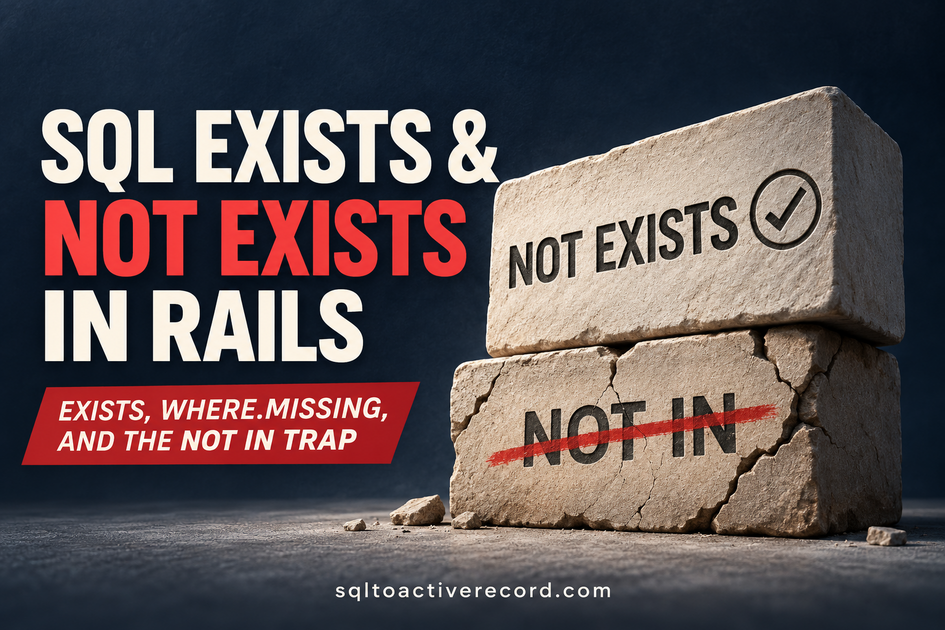
ActiveRecord has no where_exists method. You build EXISTS by passing a correlated relation to where as an Arel node (Order.where(...).arel.exists) or as a string with a placeholder (where("EXISTS (?)", relation)). For NOT EXISTS, add .not to the Arel node. For the common “records with no children” case, Rails 6.1 and later give you where.missing(:orders) instead.
Every example below ran on ActiveRecord 8.1.1 with PostgreSQL 16.15 and Ruby 3.3.6 on 26 November 2026. The SQL shown is the SQL Rails produced. Paste your own query into the SQL to ActiveRecord converter if you want a first draft of yours.
The schema used in every example
class Customer < ApplicationRecord
  has_many :orders
end

class Order < ApplicationRecord
  belongs_to :customer, optional: true
end
# customers: id, name
# orders: id, customer_id (nullable), total_cents, status
Four customers: Ada (two orders, one paid and one refunded), Bob (one refunded order), Cy (one paid order) and Dee (no orders).
SQL EXISTS in ActiveRecord
SQL:
SELECT * FROM customers c
WHERE EXISTS (SELECT 1 FROM orders o WHERE o.customer_id = c.id)
ActiveRecord:
Customer.where(
  Order.where("orders.customer_id = customers.id").arel.exists
).pluck(:name)
# => ["Ada", "Bob", "Cy"]
Generated SQL:
SELECT "customers".* FROM "customers"
WHERE EXISTS (SELECT "orders".* FROM "orders" WHERE (orders.customer_id = customers.id))
The inner relation is a normal Order relation. The WHERE inside it refers to customers.id, which is what makes the subquery correlated. .arel.exists turns the relation into an EXISTS (...) node, and where accepts that node directly.
Rails writes SELECT "orders".* inside the subquery. PostgreSQL ignores the select list of an EXISTS subquery, so this does not cost you extra.
Add conditions: customers with a paid order
Customer.where(
  Order.where(status: "paid").where("orders.customer_id = customers.id").arel.exists
).pluck(:name)
# => ["Ada", "Cy"]
SELECT "customers".* FROM "customers"
WHERE EXISTS (SELECT "orders".* FROM "orders"
WHERE "orders"."status" = 'paid' AND (orders.customer_id = customers.id))Bob has an order, but it is refunded, so he drops out. This is the case where EXISTS beats a plain join: you ask “does a matching row exist” without multiplying customer rows.
The string form
paid = Order.where(status: "paid").where("orders.customer_id = customers.id")
Customer.where("EXISTS (?)", paid).pluck(:name)
# => ["Ada", "Cy"]
Rails inlines the relation’s SQL where the ? sits and wraps the whole condition in parentheses. Both forms return the same rows. The Arel form reads better once you want NOT.
Avoid the raw correlation string
The string "orders.customer_id = customers.id" breaks if you alias the table or move the query. You can build the same correlation from Arel tables:
o  = Order.arel_table
cu = Customer.arel_table

Customer.where(Order.where(o[:customer_id].eq(cu[:id])).arel.exists).pluck(:name)
# => ["Ada", "Bob", "Cy"]
SELECT "customers".* FROM "customers"
WHERE EXISTS (SELECT "orders".* FROM "orders" WHERE "orders"."customer_id" = "customers"."id")The identifiers are quoted, and a column rename shows up as an error in one place.
SQL NOT EXISTS in ActiveRecord
Customer.where(
  Order.where("orders.customer_id = customers.id").arel.exists.not
).pluck(:name)
# => ["Dee"]
SELECT "customers".* FROM "customers"
WHERE NOT (EXISTS (SELECT "orders".* FROM "orders" WHERE (orders.customer_id = customers.id)))Shortcut: where.missing and where.associated
Rails 6.1 added where.missing and where.associated (see the BigBinary and Saeloun write-ups of that release). They are shorter, but they generate joins, not EXISTS:
Customer.where.missing(:orders).pluck(:name)
# => ["Dee"]
SELECT "customers".* FROM "customers"
LEFT OUTER JOIN "orders" ON "orders"."customer_id" = "customers"."id"
WHERE "orders"."id" IS NULLCustomer.where.associated(:orders).pluck(:name)
# => ["Ada", "Ada", "Bob", "Cy"]SELECT "customers".* FROM "customers"
INNER JOIN "orders" ON "orders"."customer_id" = "customers"."id"
WHERE "orders"."id" IS NOT NULLLook at the second result. Ada appears twice because she has two orders and where.associated is an inner join. You need .distinct to get one row per customer. An EXISTS condition never duplicates the outer row, which is the reason to pick it when you only want to filter. If you want the join behavior and the join traps, read LEFT JOIN with WHERE in ActiveRecord.
The NOT IN trap: why NOT EXISTS is safer
This is the main reason to learn NOT EXISTS. Add one order that has no customer (customer_id is NULL), then run the “obvious” Rails query:
Customer.where.not(id: Order.select(:customer_id)).pluck(:name)
# => []
SELECT "customers".* FROM "customers"
WHERE "customers"."id" NOT IN (SELECT "orders"."customer_id" FROM "orders")Dee has no orders, yet the result is empty. In SQL, x NOT IN (..., NULL) is never true, so one NULL in the subquery removes every row. The PostgreSQL wiki lists NOT IN among its “Don’t Do This” entries for this reason.
Two fixes returned ["Dee"] in the same test:
# 1. Filter the NULLs out of the subquery
Customer.where.not(id: Order.where.not(customer_id: nil).select(:customer_id))

# 2. Use NOT EXISTS, which ignores NULLs in the correlation
Customer.where(Order.where("orders.customer_id = customers.id").arel.exists.not)
Fix 2 needs no extra rule to remember. The NULL order never matches a customer, so it never matters.
EXISTS in Rails: exists? is a different thing
Relation#exists? runs its own query and returns true or false in Ruby:
Order.where(customer_id: 1).exists?
# SELECT 1 AS one FROM "orders" WHERE "orders"."customer_id" = $1 LIMIT $2
Use it for one yes-or-no check. Use EXISTS inside where when you want the database to filter a whole result set in one query. Calling exists? on each record in a loop is an N+1 pattern; the EXISTS subquery replaces it.
Which one to use
| Goal | Use | Duplicates outer row? |
|---|---|---|
| Parents with at least one matching child | where(child.arel.exists) |
No |
| Parents with no children |
where.missing(:orders) or NOT EXISTS
|
No |
| Parents with no matching child (with conditions) | NOT EXISTS |
No |
| Need child columns in the result |
joins or includes
|
Yes |
| Single yes/no check | exists? |
n/a |
Related: SQL UNION in Rails ActiveRecord, Rails where clause with AND and OR, and the SQL EXISTS to ActiveRecord converter page. To understand activerecord fundamentals, see SQL CASE WHEN in Rails ActiveRecord.
Frequently asked questions
- Does ActiveRecord have a where exists method?
- No. In ActiveRecord 8.1.1, Customer.respond_to?(:where_exists) returns false. Pass relation.arel.exists to where, or use the string form where("EXISTS (?)", relation). A gem such as where_exists adds a helper, but you do not need one.
- How do I write NOT EXISTS in Rails?
- Call .not on the Arel node: Customer.where(Order.where("orders.customer_id = customers.id").arel.exists.not). Rails generates NOT (EXISTS (...)).
- What is the difference between where.missing and NOT EXISTS?
- where.missing(:orders) generates a LEFT OUTER JOIN with an IS NULL check and works only on an association. NOT EXISTS lets you add conditions to the child, such as no paid order.
- Why does my NOT IN query return no rows?
- If the subquery returns even one NULL, NOT IN is never true. Filter the NULLs out of the subquery or switch to NOT EXISTS.
- Is exists? the same as a SQL EXISTS subquery?
- No. exists? is a separate query that returns a Ruby boolean. A SQL EXISTS inside where filters rows inside one query.
Was this article helpful?
Your feedback helps us improve our content
How We Verify Conversions
Every conversion shown on this site follows a strict verification process to ensure correctness:
- Compare results on same dataset — We run both SQL and ActiveRecord against identical test data and verify results match
-
Check generated SQL with
to_sql— We inspect the actual SQL Rails generates to catch semantic differences (INNER vs LEFT JOIN, WHERE vs ON, etc.) - Add regression tests for tricky cases — Edge cases like NOT EXISTS, anti-joins, and predicate placement are tested with multiple scenarios
- Tested on Rails 8.1.1 — All conversions verified on current Rails version to ensure compatibility
Last updated: November 26, 2026
Try These Queries in Our Converter
See the SQL examples from this article converted to ActiveRecord—and compare the SQL Rails actually generates.
Deep Dive into ActiveRecord
Raza Hussain
Full-stack developer specializing in Ruby on Rails, React, and modern JavaScript. 15+ years upgrading and maintaining production Rails apps. Led Rails 4/5 → 7 upgrades with 40% performance gains, migrated apps from Heroku to Render cutting costs by 35%, and built systems for StatusGator, CryptoZombies, and others. Available for Rails upgrades, performance work, and cloud migrations.
More on SQL to ActiveRecord
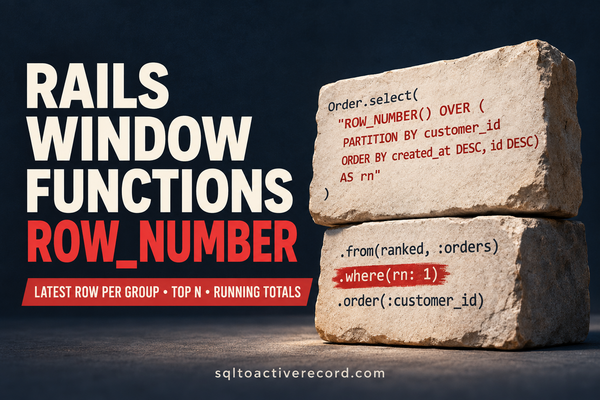
Rails Window Functions: ROW_NUMBER in ActiveRecord
Use ROW_NUMBER, RANK and LAG in ActiveRecord for latest-per-group and top N queries. Tested SQL and Ruby on Rails 8.1.1 and PostgreSQL 16.

Rails with_recursive: Recursive CTE in ActiveRecord
Use with_recursive in Rails 7.2+ to walk trees in one query. Tested on ActiveRecord 8.1.1 and PostgreSQL 16, with depth, path and cycle guards.
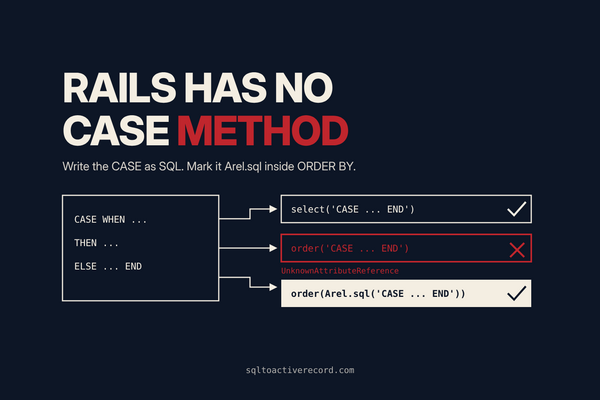
SQL CASE WHEN in Rails ActiveRecord
Write SQL CASE WHEN in ActiveRecord with select, sum, group, order, in_order_of and Arel. Tested on Rails 8.1.1 with the real SQL output.
Leave a Response
Responses (0)
No responses yet
Be the first to share your thoughts